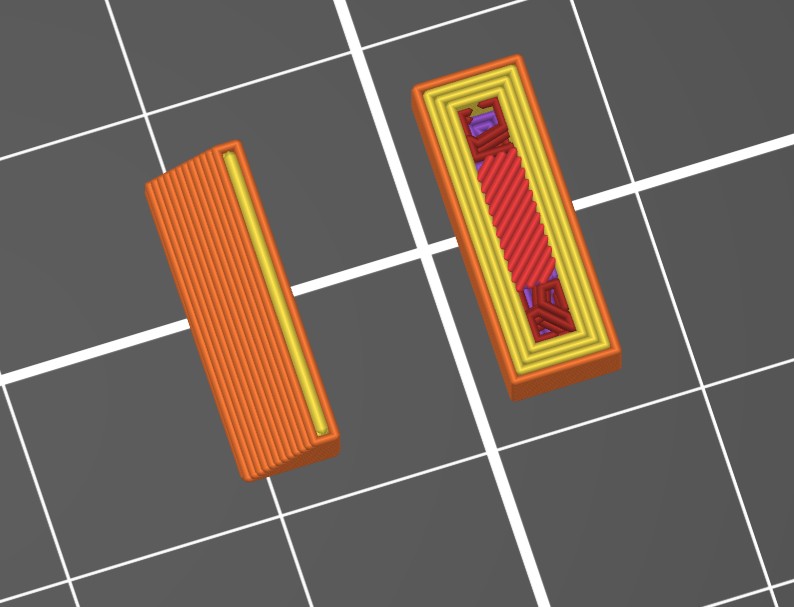
Notes on Bridging
Bridging is printing between two points, in the air. Nothing underneath to support the filament. Things to understand about Bridging.
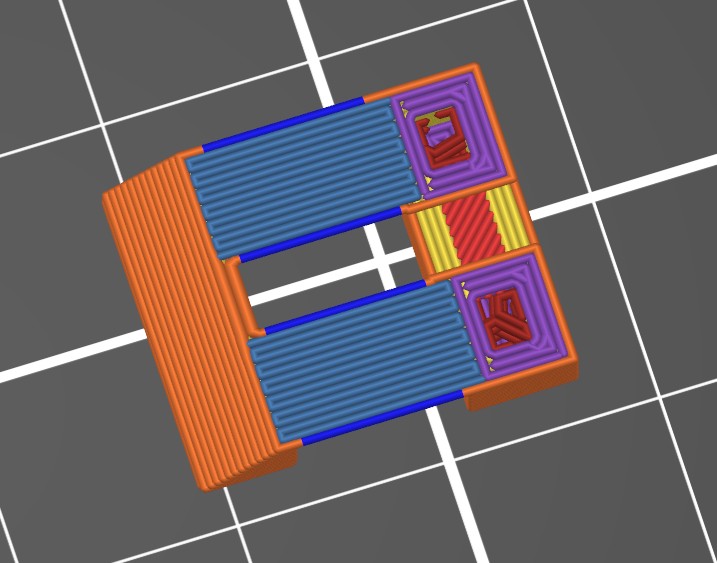
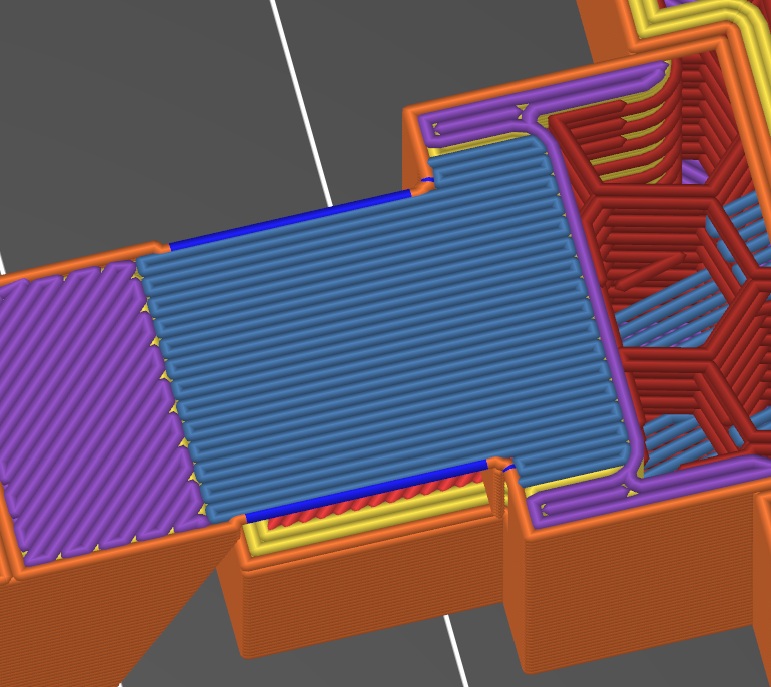
The blue-gray lines in this picture show bridging lines being well anchored on each end. Overlapping the edge of previous profiles.
Previous layer Before Bridge
Bridging layer with good left side overlap. 2 line widths, or about .8mm in this example
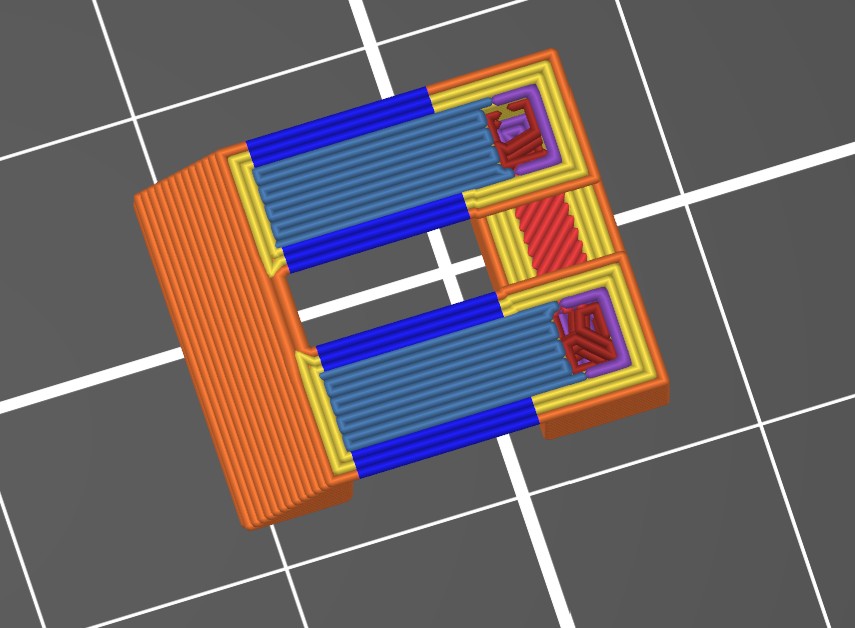
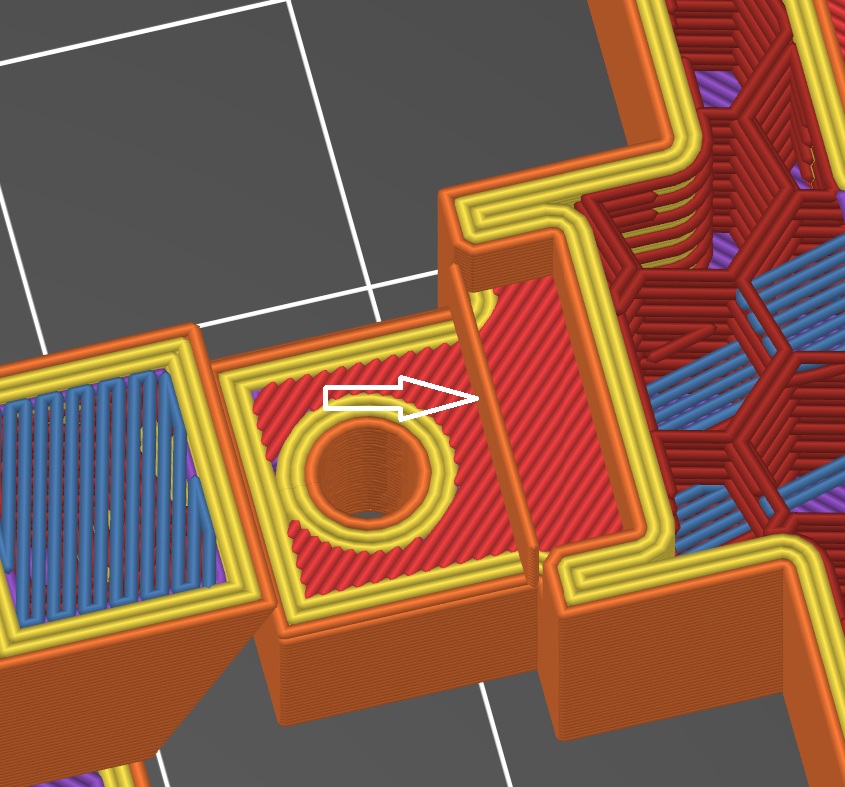
In this picture, Multiple profiles cause the ends of bridging moves to not overlap or connect well on the left side. The bridging moves only connect on the sides on the left. This ends up in a birds nest appearance after printing since many bridging ends on the left do not attach. To get the bridging to work as shown above, the 3 perimeter setting was changed to a single perimeter for the bridging layer only.
Things you can do to improve how well bridging covers a gap.
There are other settings also, but I found the above the most useful. This is a bridge-testing.3mf file. With test parts. Scale the test parts to adjust for bridging lengths you need to test.
You can adjust bridging to be thinner by reducing bridging flow rate, but not smooth looking. Also there are ways to make the bridging look smooth by increasing the flow rate, but it increases the material making the bridged layer thicker.
Supports and Bridging
Supports are needed when bridging is interrupted. This example a hole in the middle of a bridge area. Supports are used around the area of the hole. This is the first layer of the bridging with a hole. Supports are also needed where the bridge area extends beyond the walls of the part.
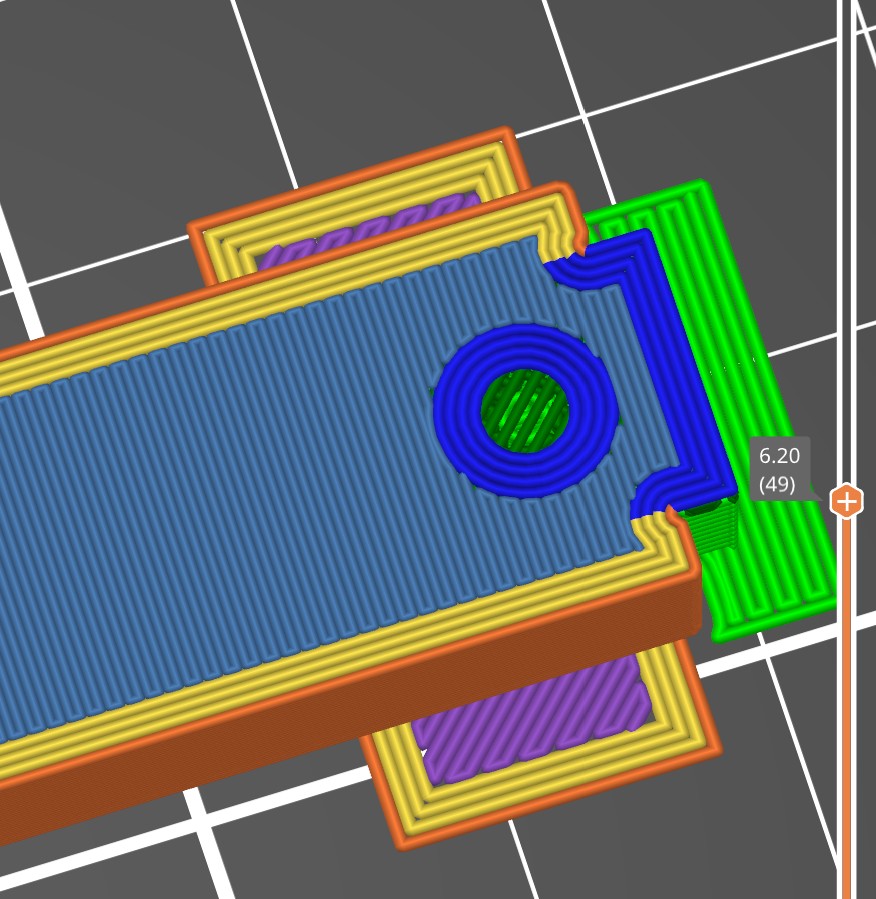
Supports usually stop 1 layer before the item being supported. This leaves a 1 layer gap. The supports catch any sagging. The one layer gap allows the part not to stick to the supports. Along with an area for the first round/not oval layer to fill in over the supports. When bridging filament is made to be thicker, 1.1-2x normal flow, the gap may be filled and attach too-well to the support. This may make support removal difficult.
When supports are used over a bridging area I suggest 1.0 or less bridging filament flow.
Last Update Dec 31 2025